
If you have lost your password, you can easily reset this from the WordPress login screen.
» Knowledgebase » User Management » Reset your WordPress Password (Password lost)
Reset your WordPress Password (Password lost)
Visiting the WordPress Login Page
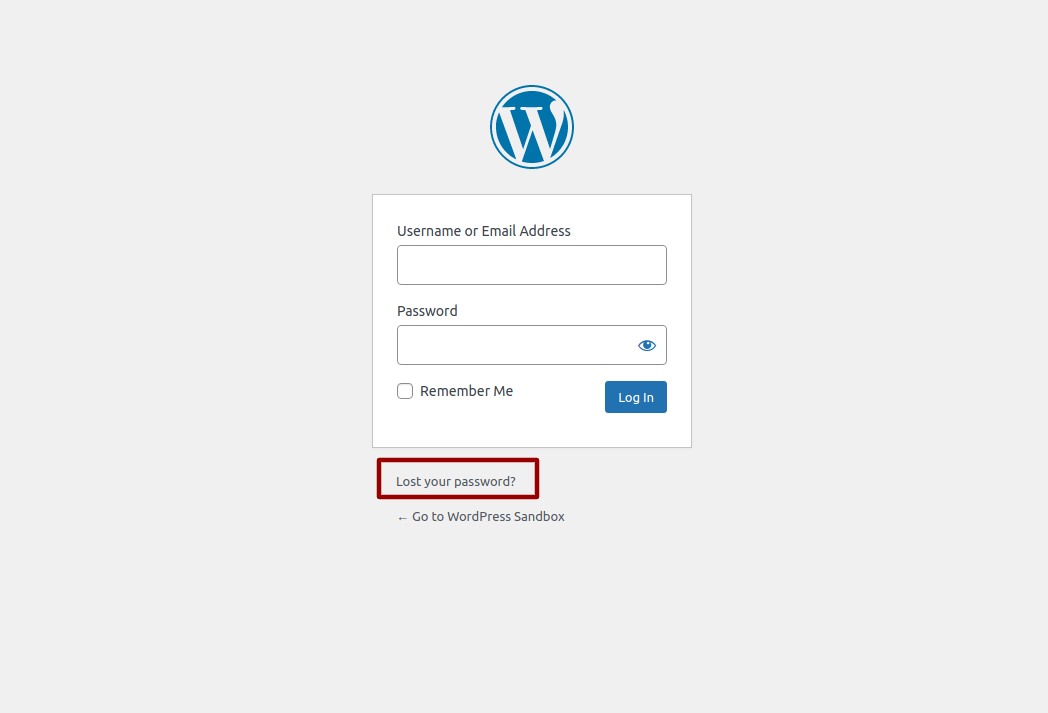
To reset your WordPress password, visit the login screen and select the "Lost Your Password" Link. You login screen can usually be found by adding /wp-admin to the end of your web address (eg http://www.example.com/wp-admin )
Enter your email address or username and click "Get New Password"
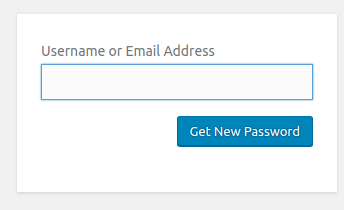
You will receive a password reset link via email which will enable you to change your password and login to your WordPress dashboard
Note: If you can still login to you WordPress dashboard, change your own password from the WordPress dashboard via the 'Edit My Profile' screen
UK WordPress Support
We are a team of UK based WordPress experts offering WordPress help & support, WordPress site management and maintenance, content management services, one to one WordPress training and consultancy.
Need to chat? Contact Us Now!
WordPress Maintenance
Let us manage your plugin and theme updates, keep your WordPress website site running smoothly and your visitors happy!
One to One WordPress Training
We provide one to one WordPress training to individuals and companies all over the World!
Whether you are developing new skills for business or working on a personal project, we can support you, and your first trial session is free!
WPHelpDesk Difficulty Rating
Simple All WordPress users should be able to manage this
Basic You’ll need to to be familiar with adding content to a WordPress website
Intermediate You’ll need to know your way around most of the WordPress dashboard and be familiar with installing themes and plugins.
Advanced You will need to be comfortable with all aspects of WordPress Administration including installing and configuring themes and advanced plugins
Expert You will need to be comfortable with coding, editing databases and other tasks that could permanently damage your website. Proceed with caution!
No rating applied yet

0 Comments